
Table of contents
Add or Update your Location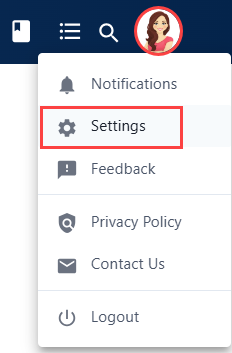
 Did this answer your question?😞😐😃
Add or Update your Location
This article review the steps to add or update locations.
N
Written by
Nicole Tavizon
Updated over 9 months agoNicole Tavizon
Table of contentsGo to Settings
Initials or Photo in top right corner -> Settings.

Under the Profile Tab scroll down to the Default Location section.
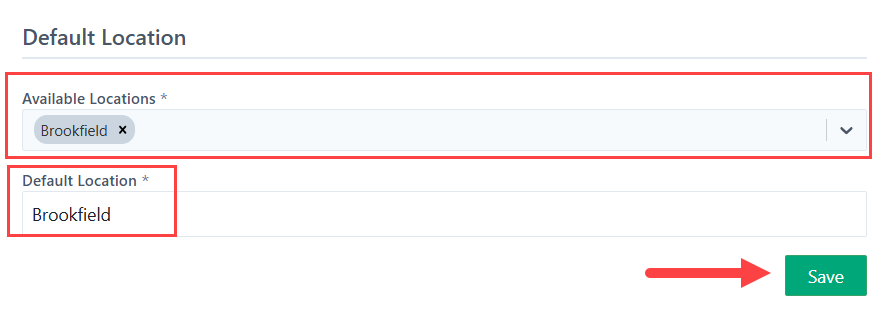
Available Locations are all the locations you will need access to. Select the "x" to remove a location and the drop-down to add the locations required.
Your Default Location is the main location that will pop up when creating Service Requests. Only one location can be selected.
Save.
Available Locations are all the locations you will need access to. Select the "x" to remove a location and the drop-down to add the locations required.
Your Default Location is the main location that will pop up when creating Service Requests. Only one location can be selected.
Save.
 Did this answer your question?😞😐😃